
Statuses
- Purpose
- What a status shows, how to change it, and what the empty, error and no-access screens mean when a page has nothing to show.
- Who is this for
- Everyone
"Status" means two things in Gembaa, and this page covers both. First, the Status field on a record, which tells you where the work stands. Second, the messages a page shows when it has no records to display, when something fails to load or when you lack access.
Status on a record
A status field holds one state at a time, shown as a coloured pill. The list of states is set by your admin, so your workspace may have "Not started", "On hold", "Complete" or whatever suits your process. See Entities and custom fields.
Behind every state is a category. The category gives the state its meaning and its default colour, so a report can group states from different workflows together.
| Category | Meaning | Default colour |
|---|---|---|
| To do | Not started yet | Grey |
| In progress | Work is under way | Amber |
| Issue | Blocked, failing, or needs action | Red |
| Closed | Finished, no further work expected | Green |
An admin can give a state its own pill colour. If they do, the colour changes but the category stays the same.
Change a status
- Find the status. It is a column in the table, a row in the record panel, or a pill in the panel header if your admin put it there.
- In a table, double-click the cell. Elsewhere, click the value.
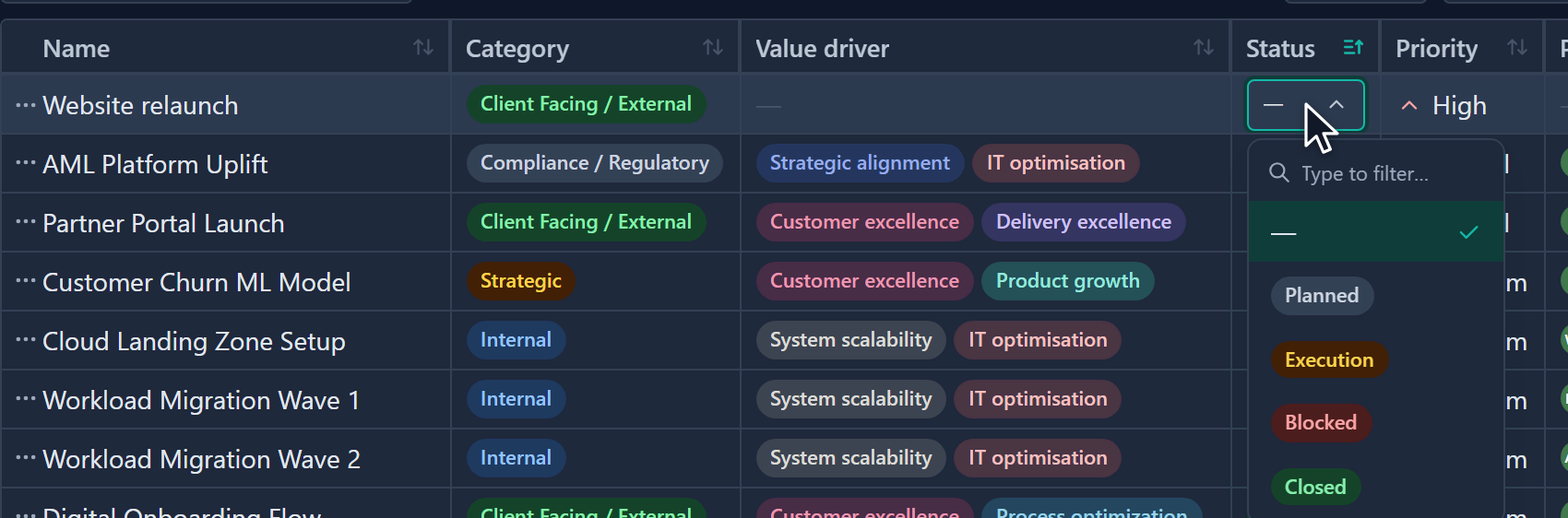
- Pick the new state from the list. Type to narrow the list if it is long.
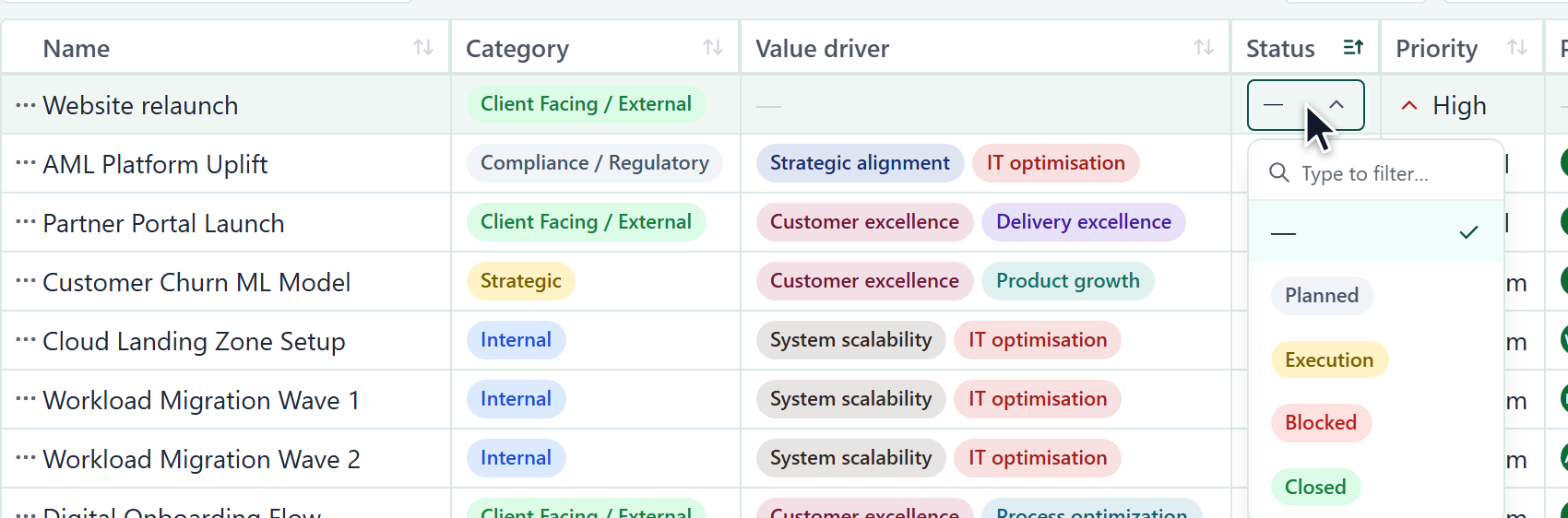
The change saves as soon as you pick. A bubble above the value says "Saved", or "Couldn't save · reverted" if it failed and the old value returned.
Status is a required choice in many modules, so you may not be able to clear it. If you cannot edit a status, hover over it to see why.
When a page is empty
A page that shows no rows always tells you why, because the fix differs.
| Message | What it means | What to do |
|---|---|---|
| No records yet | The module has no records. The text reads "Add the first" followed by the record type. | If you are allowed to add one, click Add followed by the record type. |
| No records match your filters | Records exist, but your filters or search hide them all. | Click Clear filters, or widen your search. |
| You don't have permission to view this, or it may not exist. | You cannot see this page or record, or it was deleted. The message is the same for both on purpose, so it does not confirm what exists. | Ask an admin for access if you need it. |
The table's toolbar, tabs and search box stay visible above these messages, so you can change the view without leaving the page.
A page that belongs to a module an admin has switched off shows a different message.
| Message | What it means | What to do |
|---|---|---|
| This feature is not enabled | The body reads "An administrator turned it off for this workspace." There is no button. | Ask an admin to turn the feature on in Administration → Features. See Turn features on or off. |
When loading fails
If a page cannot load, the message says what went wrong. A retry button appears only where trying again could help.
| Message | Likely cause |
|---|---|
| You're offline | Your device has no connection. Check it and try again. |
| Couldn't reach Gembaa | The server did not respond. Check your connection and try again. |
| That took too long | The server did not answer in time. Try again. |
| Couldn't load this | Something went wrong on the Gembaa side. Try again in a moment. |
| Too many requests | You sent too many requests. Wait a moment, then try again. |
| Something went wrong | An unexpected problem. Try again, and tell your admin if it keeps happening. |
| This feature is not enabled. | An admin switched this module off for the workspace. Retrying does not help. See Turn features on or off. |
If a request is rejected for a specific reason, for example a name that is already in use, Gembaa shows that exact message instead.
When a screen breaks
If a screen itself fails, you see This screen ran into a problem, with the reassurance that nothing you did caused it and nothing was lost. Click Try again, or Reload the page if that does not help.
Good to know
- "No records yet" and the no-permission message look different on purpose. If a module you know has records shows "No records yet", ask an admin about your access. If your filters are hiding everything, you see "No records match your filters" instead.
- Failure messages do not show technical error text. If a problem persists, tell your admin which page it happened on and roughly when.