
Introduction to Risks, Issues, and Dependencies (RAID)
What is RAID?
In a project or program management you will often hear the term RAID but what does it stand for ? RAID means Risk , Assumption, Issue and Dependencies.
Now let's deep dive in each one.
💡 Most RAID logs don’t fail because they’re incomplete. They fail because they’re passive.
Centralized information. Clear ownership. Decisions driven to closure.
What's a Risk ?
A risk is an uncertain event or condition that, if it occurs, can have a negative or positive effect on one or more project objectives, such as scope, schedule, cost, or quality.
- A threat is a risk that would have a negative effect on the project if it occurs.
- An opportunity is a risk that would have a positive effect on the project if it occurs.
Risk treatment involves selecting and implementing appropriate strategies to address identified risks. These strategies differ depending on the nature of the risk:
- For threats: risk avoidance, risk reduction, risk transfer, or risk acceptance.
- For opportunities: opportunity exploitation, opportunity enhancement, opportunity sharing, or opportunity acceptance.
Categorization
A negative risk is categorized by severity based on two criteria: Likelihood (the probability of the risk occurring) and Impact (the effect on the project if it does occur). The severity defines how closely the threat is monitored and how it should be treated.
- Low: Monitor periodically — no immediate action required.
- Low-Medium: Keep under watch — a mitigation plan may be needed.
- Medium: Active monitoring required — mitigation plan must be defined.
- Medium-High: Priority attention — mitigation plan must be implemented.
- High: Immediate action required — escalate and treat without delay.
Each company has often they own matrix to determine the severity but it always looks like this :
Impact | ||||||
Negligible | Low | Moderate | Significant | Catastrophic | ||
Likelihood | Very unlikely | Low | Low | Low medium | Medium | Medium |
Unlikely | Low | Low medium | Low medium | Medium | Medium high | |
Possible | Low | Low medium | Medium | Medium high | Medium high | |
Probable | Low | Low medium | Medium | Medium high | High Severity | |
Very Likely | Low medium | Medium | Medium high | High Severity | High Severity | |
What's an Assumption ?
Assumptions are hypotheses we accept as true for the purpose of planning and decision-making, without having confirmed them yet.
If an assumption turns out to be wrong, it may impact the project.
What's an Issue ?
An issue is a something currently happening that has a negative impact on the project.
Categorization
Issues are categorized by priority based on two criteria: the scope of impact (how many users are affected) and the urgency (how severely the user's ability to work is affected). The priority defines how quickly the issue needs to be resolved.
High impact (System-wide) | Medium impact (Multiple users) | Low impact (Single user) | |
|---|---|---|---|
High urgency — Cannot perform primary work functions | Blocker/Critical | High | Medium |
Medium urgency — Work impaired, workaround exists | High | Medium | Low |
Low urgency — Minor inconvenience | Medium | Low | Low |
- Low: A single user is mildly inconvenienced but can work normally.
- Medium: One or several users are impacted but a workaround allows them to continue working.
- High: Multiple users can no longer perform their primary work functions, but the system is still partially operational.
- Blocker/Critical: The application or system is down — no workaround exists and users cannot work at all.
What's a Dependency ?
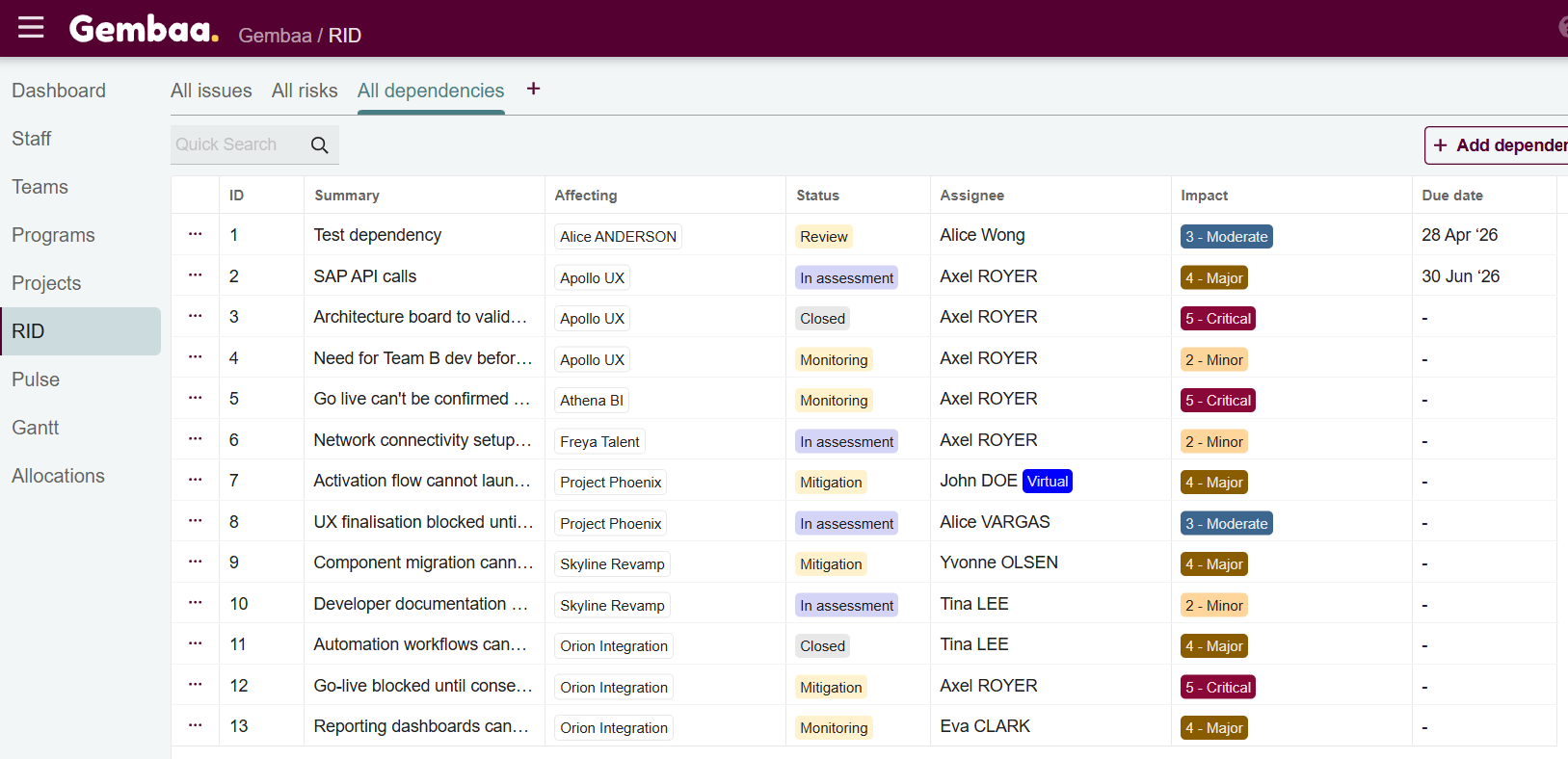
A dependency is something outside our direct control that our project relies on to progress — such as a deliverable, decision, or output from another team or project — which we must track and account for in our planning.
So what's the difference ?
What`s similar, what`s the difference ?
Type | Status | Impact | Action | Meaning |
|---|---|---|---|---|
🟠 Risk | Not occurred | Negative / Opportunity | Mitigate | May happen, needs prevention |
🟡 Assumption | Not validated | Neutral | Monitor & Validate | Belief not yet proven |
🔴 Issue | Occurred | Negative | Resolve | Active problem blocking delivery |
🔵 Dependency | Occurred / active | Positive or negative | Track | External input affecting progress |
How to monitor them ?
RAID elements are first identified during project initiation, but new ones can emerge at any point in the project lifecycle. They are centralized in a RAID log.
The RAID Log
A RAID log is a tracking document that centralizes all identified assumptions, issues, risks, and dependencies in one place. It ensures that every element is visible, assigned, and actionable.
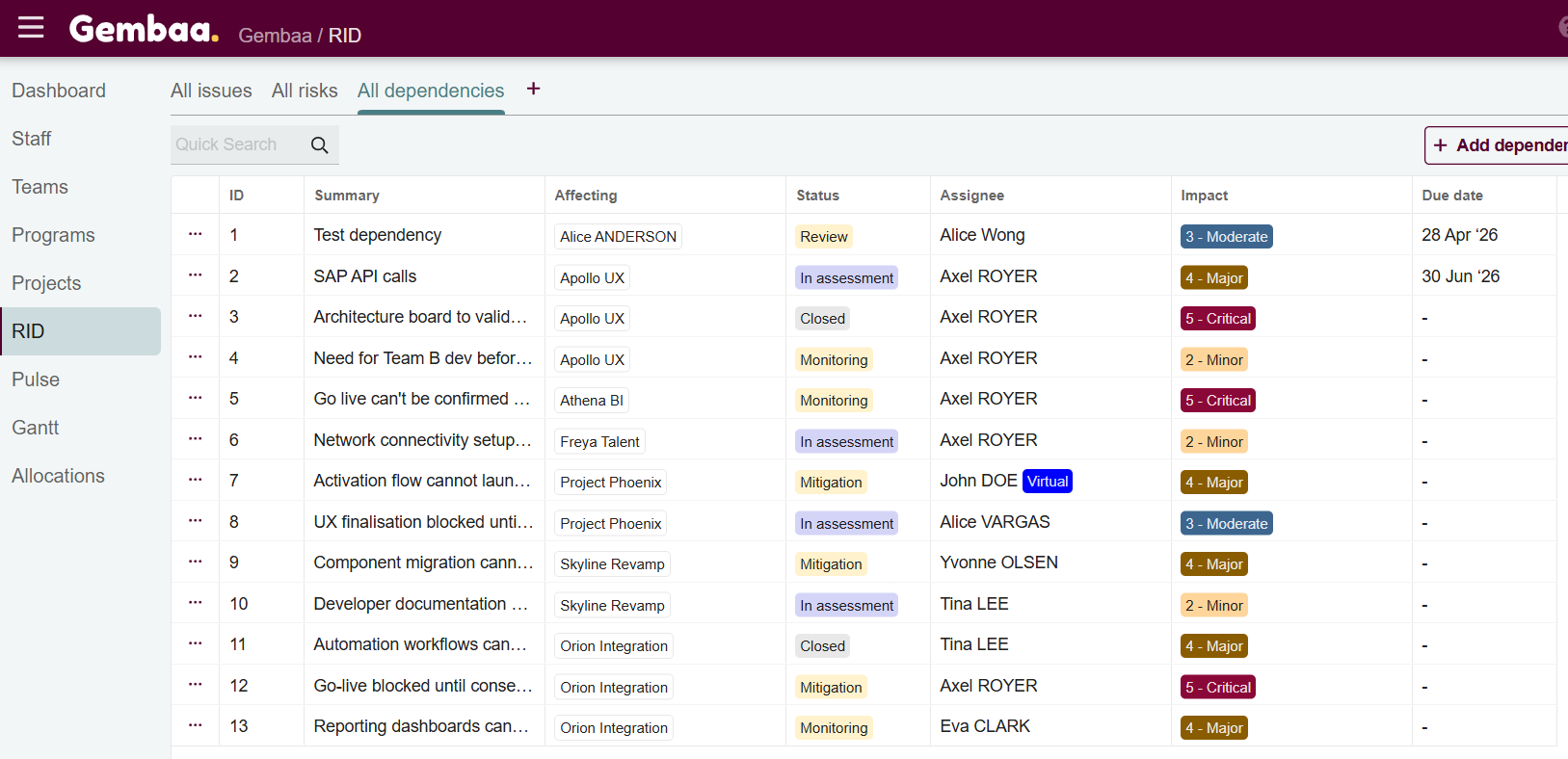
It serves three main purposes:
- Keep the project team, stakeholders, and management aligned on the current status of the project.
- Ensure accountability by assigning an owner and a due date to each element.
- Support decision-making by providing an up-to-date picture of the RAID elements.
This is a living document that must be continuously updated.
Setting up RAID Governance
At the beginning of the project, make sure to define a:
RAID review ritual
- Weekly or biweekly cadence
- Dedicated review meeting or integrated into governance routines
- Focus on:
- Progress updates
- Mitigation actions
- Blockers
- Decisions needed
- Escalations
Process to add new risks when they emerge
This should include:
- Who can raise a RAID element
- Where it must be documented : Immediately in the RAID log, with all information available at that time (Description, Impact, Owner …) with the appropriate status (In assessment , in mitigation …)
- Review the item during the next RAID ritual : Define mitigation actions, owners, and due dates etc
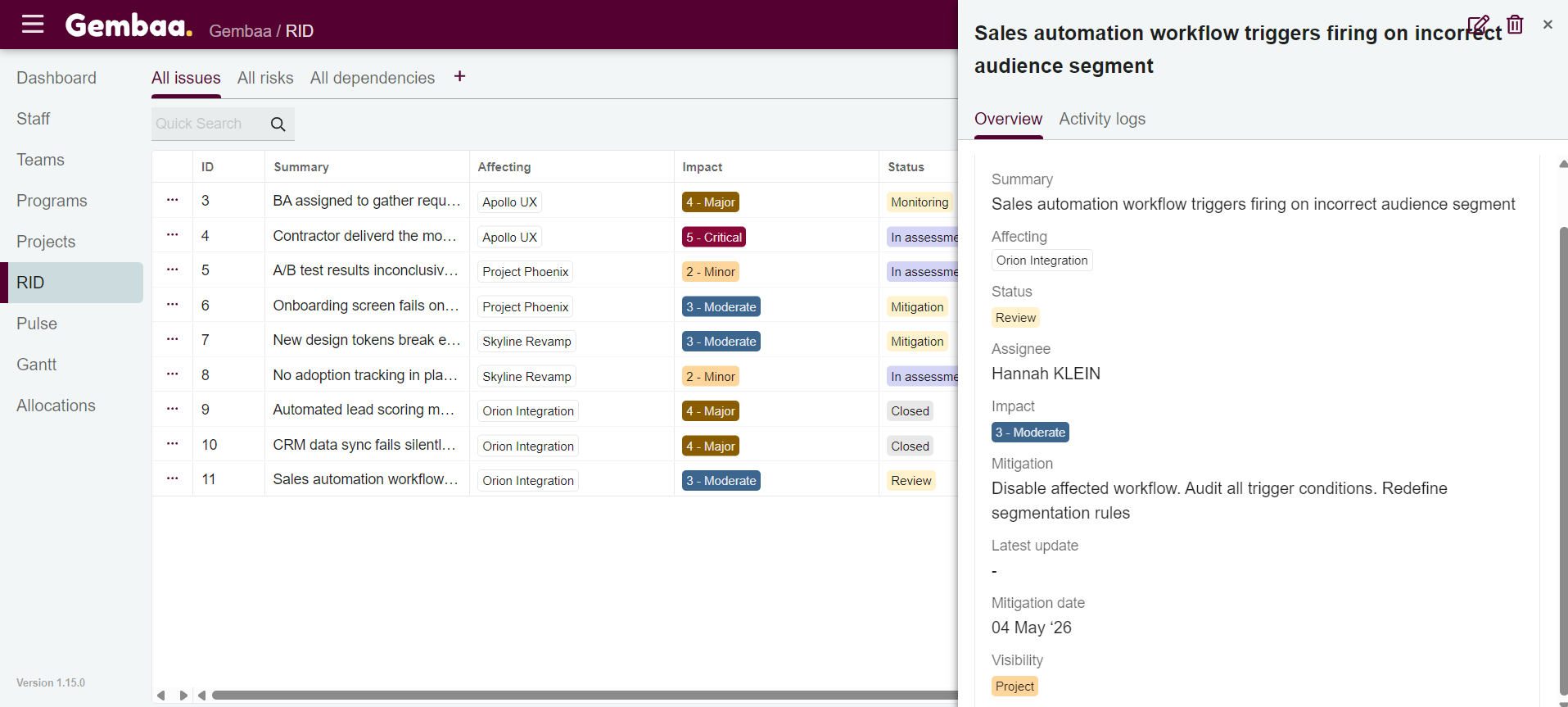
RAID Log Minimum Required Fields
Field | Description |
|---|---|
ID | Unique identifier for tracking |
Type | Risk, Assumption, Issue or Dependency |
Description | Clear explanation of the element |
Owner | Person responsible for managing it |
Due date | Deadline for resolution or review |
Status | Current status (Open, In Progress, Closed) |
Mitigation | Steps taken or planned to address it |
How to address them ?
Addressing a RAID element goes beyond simply logging it. Each type requires a specific response depending on its nature and severity.
Type | Address by | Closed when |
|---|---|---|
🟠 Risk | Apply the appropriate treatment strategy (avoidance, reduction, transfer, acceptance). Monitor severity regularly. | Risk has materialized (becomes an issue) or is no longer relevant |
🟡 Assumption | Validate or invalidate it as the project progresses | Confirmed as true or false and impact assessed |
🔴 Issue | Define corrective actions and a resolution deadline. Escalate if it cannot be resolved at project team level. | Corrective action implemented and impact resolved |
🔵 Dependency | Ensure it is tracked, communicate with the responsible party, and anticipate its effect on the project plan. Escalate if it is at risk of not being met. | Dependency has been fulfilled or is no longer relevant |
Escalation
Not all RAID elements can be resolved at project team level. If an element cannot be actioned within the team it should be escalated to the appropriate level — typically the project sponsor, steering committee, or management — with a clear description of the element, its impact, and the decision or support needed.