
Configure terminologies to your company lingo
Update Gembaa's terminology to reflect your company’s lingo, improving adoption and building trust to the teams and users.
📝Overview
Purpose
- Customize system terminology to align with your company’s lingo and naming conventions
- Ensure consistency across modules and improve user adoption through familiar terms
Who is this for
- System administrators responsible for platform configuration
- Organizations that use different internal naming conventions for staff, project, programs, and etc..
Pre‑requisites
- Admin access to the platform
- Clear understanding of your organization’s preferred terminology
Permissions required
- Admin access to the Admin panel
- Permission to manage Entities terminology settings
📹Demo walkthrough
💭How‑to guide
Step 1: Open the Admin Panel
As an admin, click the gear icon beside your profile name, this opens the Admin panel.

Step 2: Navigate to Entities
From the Admin panel navigation menu on the right, select Entities. Upon clicking, you will see a tab for each entity, all following a similar page format.
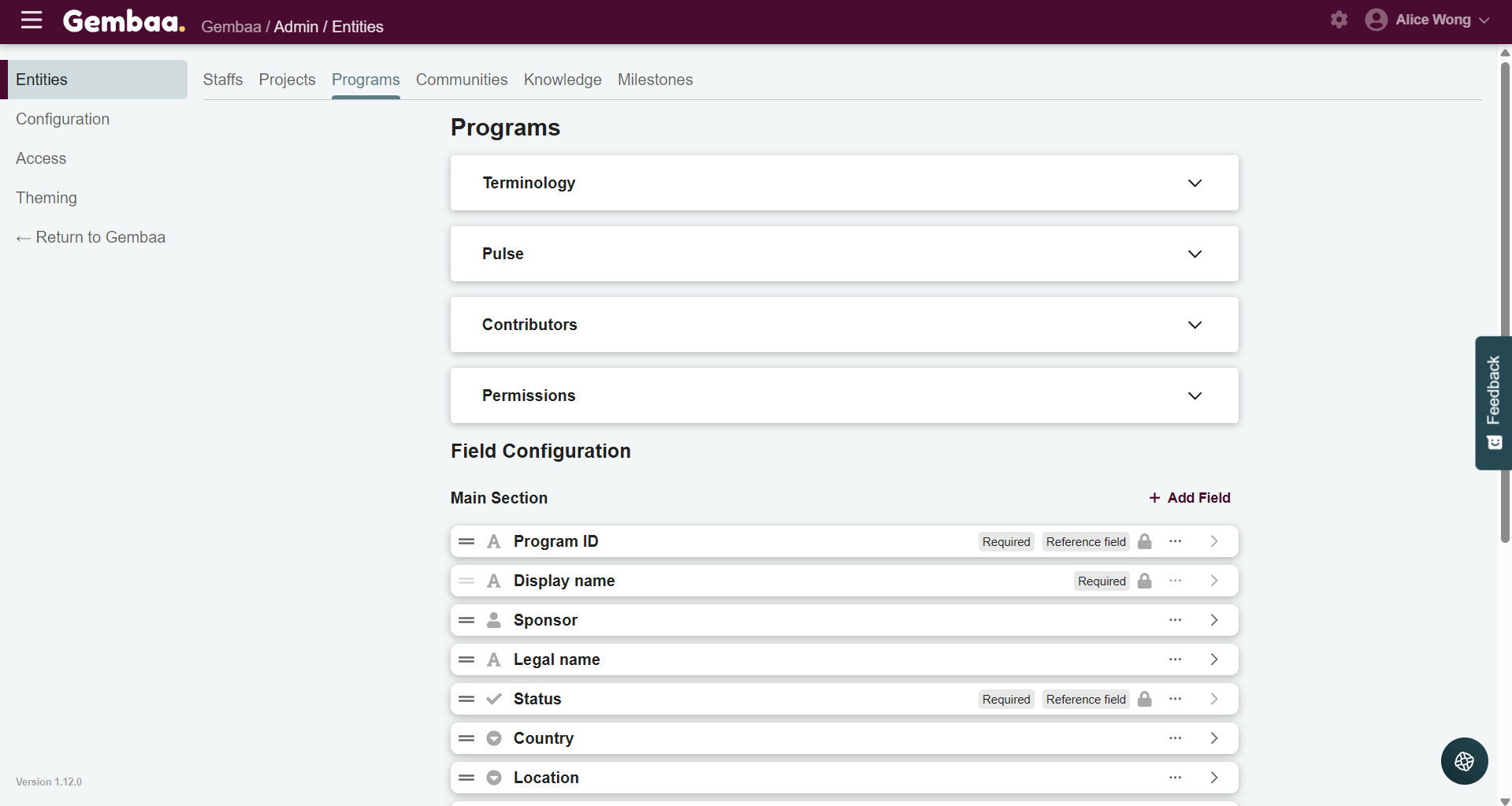
Step 3: Select the module you want to update
- Navigate to the entity where you want to update terminology. In this example, we'll locate and update the Staff entity.
- Next, locate the expandable Terminology section within the page and click to expand.
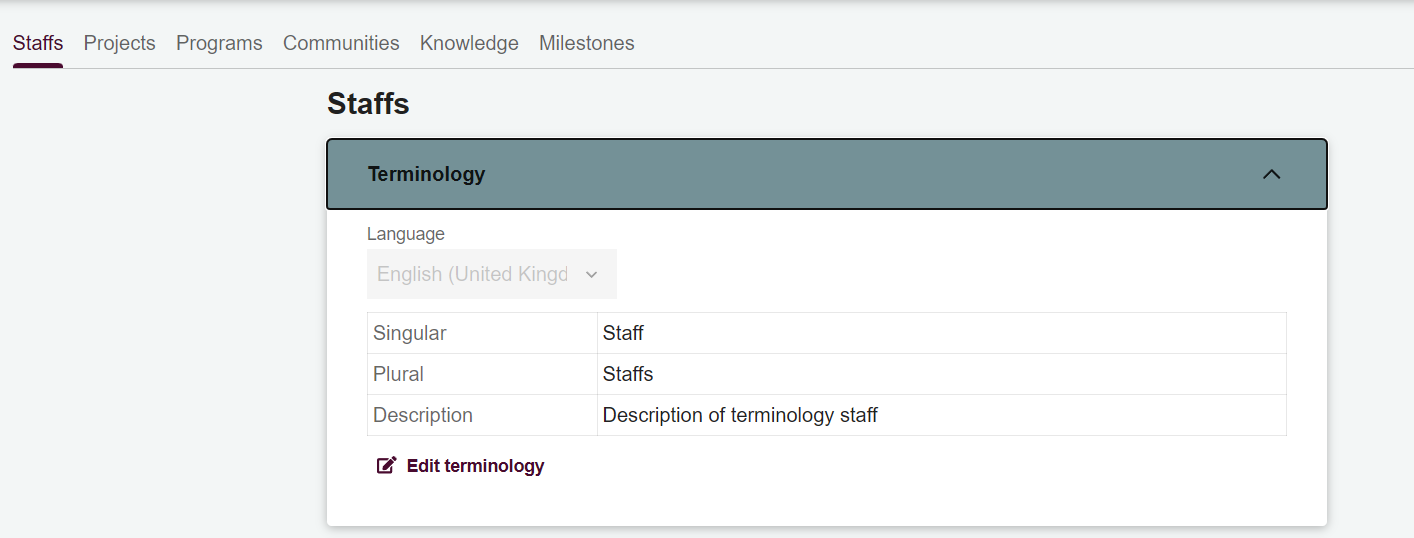
Step 4: Update terminology fields
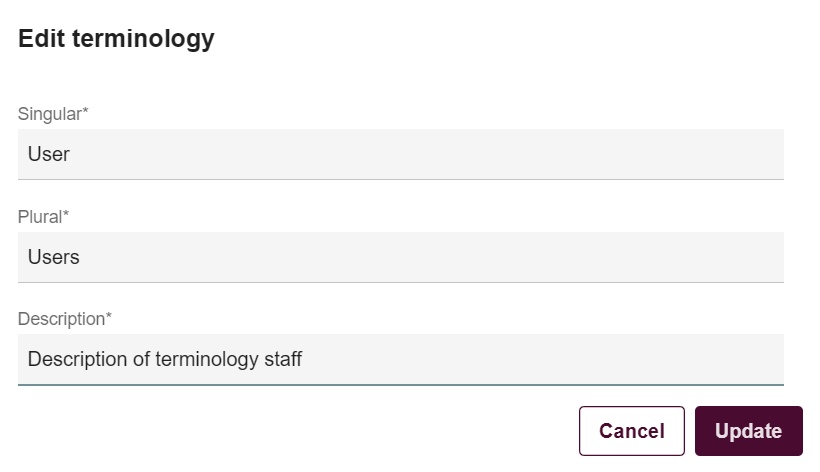
Click on Edit terminology and modify the following fields as needed:
- Singular name – how the term appears when referring to one item
- Plural name – how the term appears when referring to multiple items
- Description – short explanation of what the term represents
Ensure the updated terms are clear, consistent, and aligned with your company’s lingo.
In this example, we'll update Staff ➡️ User.
Step 5: Update changes
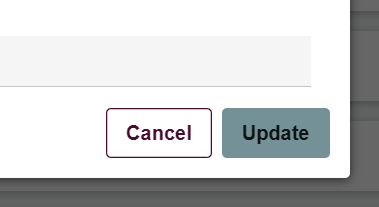
Click on Update to apply the new terminology across Gembaa and repeat the process for other entities as needed.
💡 Tip:
This is usually a one-time configuration and is best done before users and teams onboard the platform.