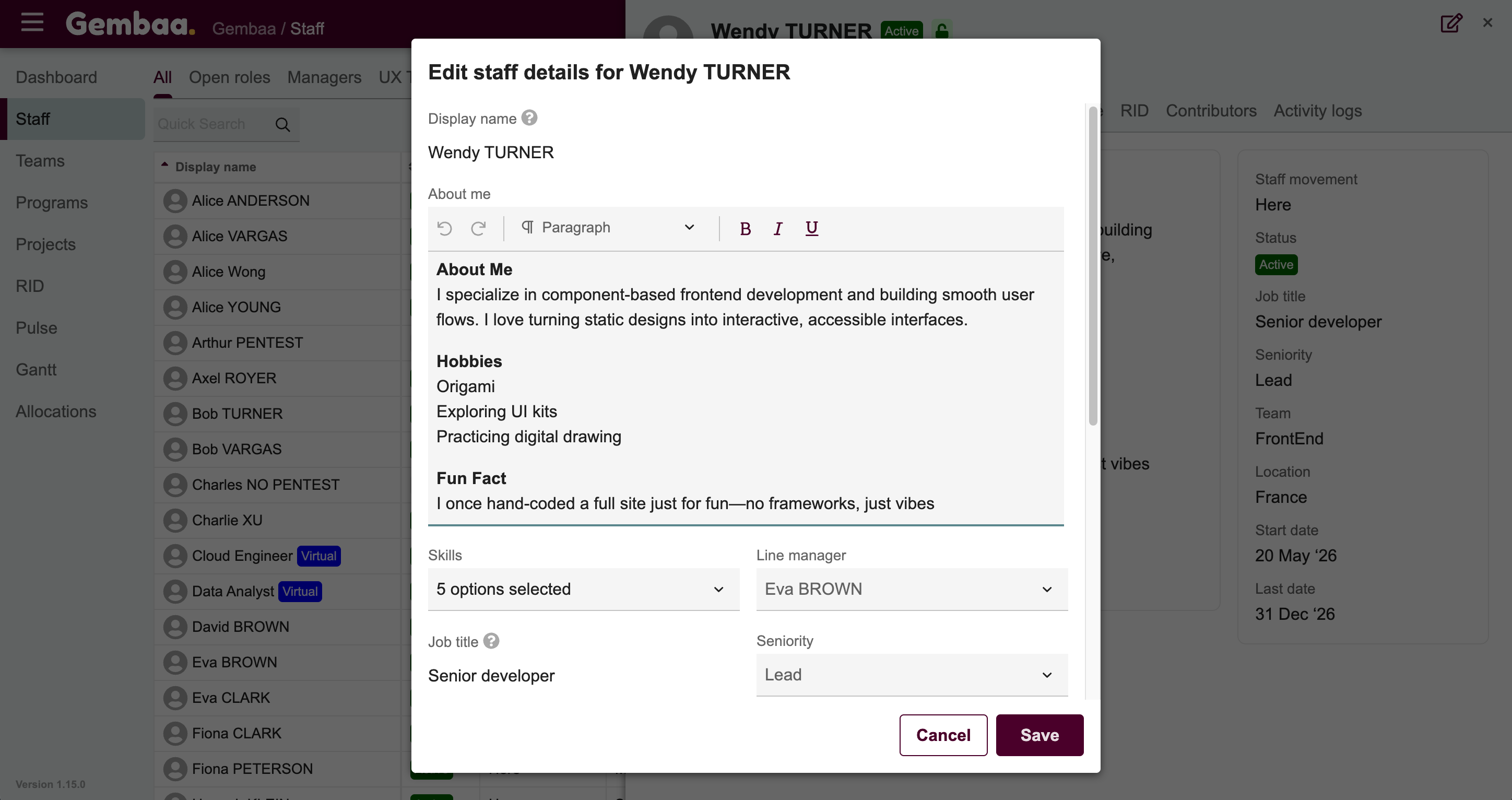
Edit staff details
Edit any staff record directly from the details panel — whether it's a directory or virtual staff member.
📝 Overview
Purpose
- Keep staff records accurate and up to date
- Allow contributors to update field values based on their access level
Who is this for
- Anyone with contributor access to staff records — including admins, managers, and team members
Pre-requisites
- An existing staff record (directory or virtual)
Permissions required
- Depends on field-level permissions configured by your admin
🎥 Demo Walkthrough
💭 How-to Guide
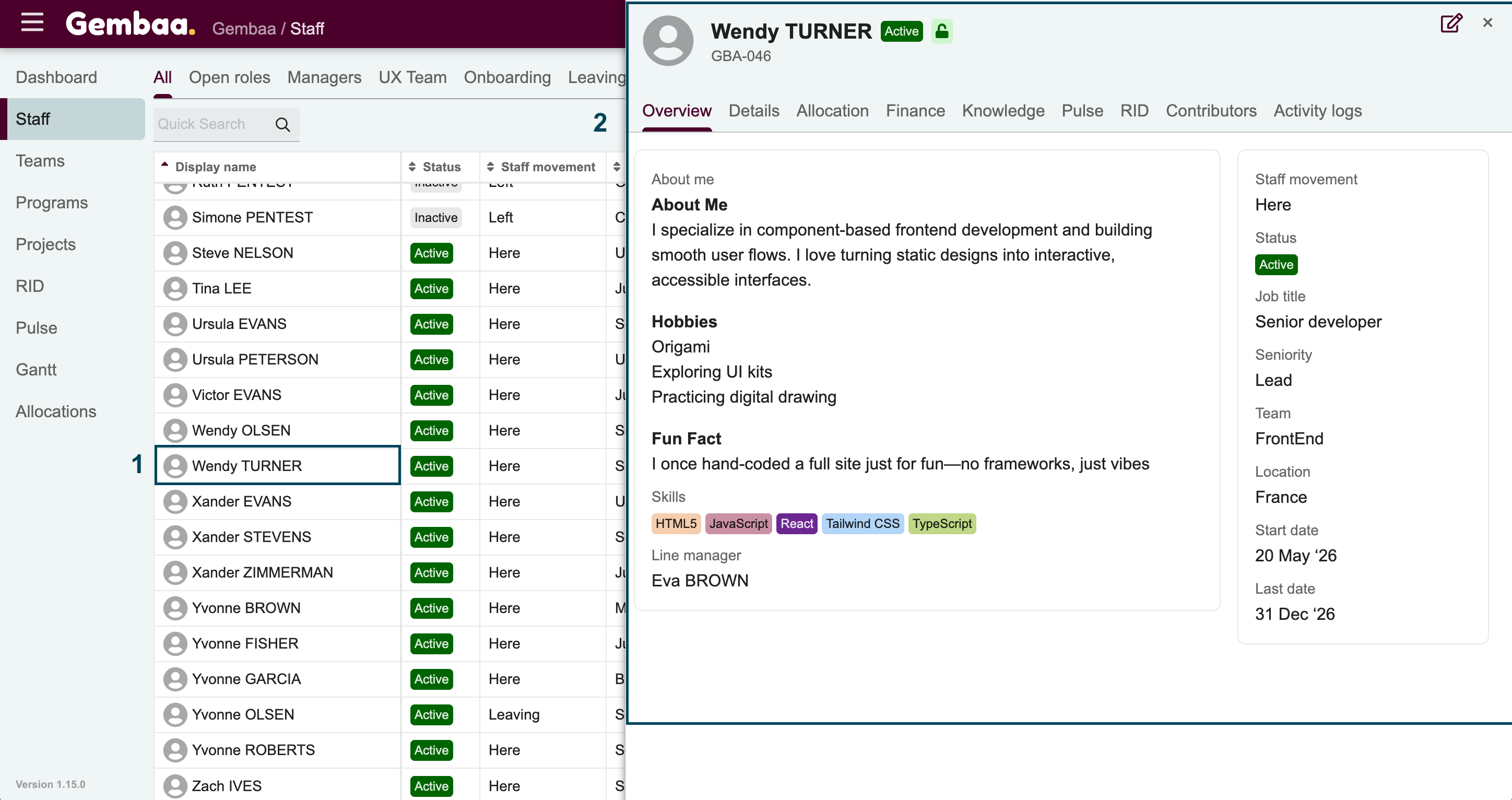
Step 1: Open the staff record
- From the Staff module, click on the staff member you want to update, this opens the details panel
Step 2: Edit the record
There are two ways to edit:
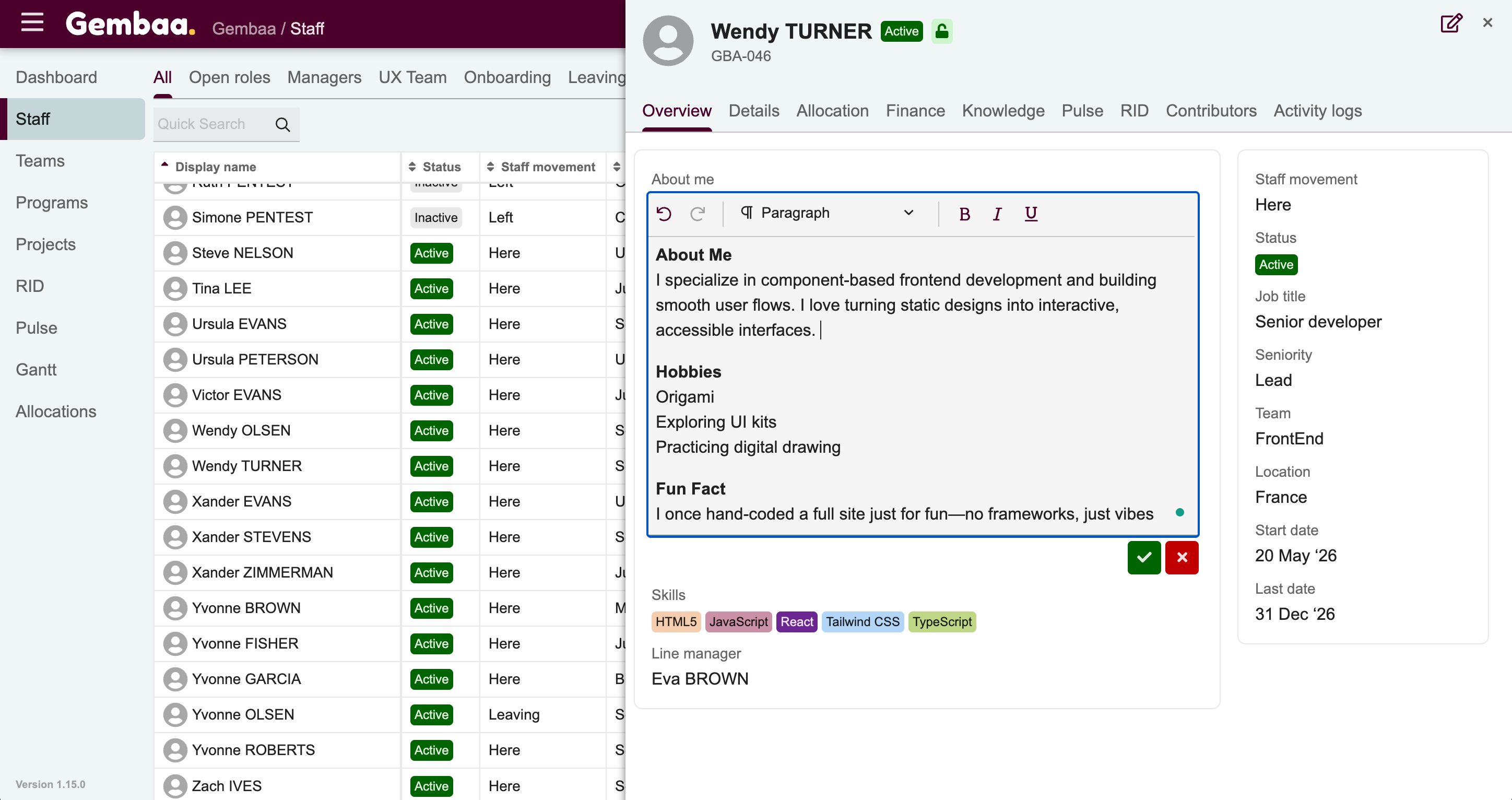
- Option A — Inline editing
- Click directly on any editable field in the details panel
- Update the value and click away, press Enter, or a check icon to save
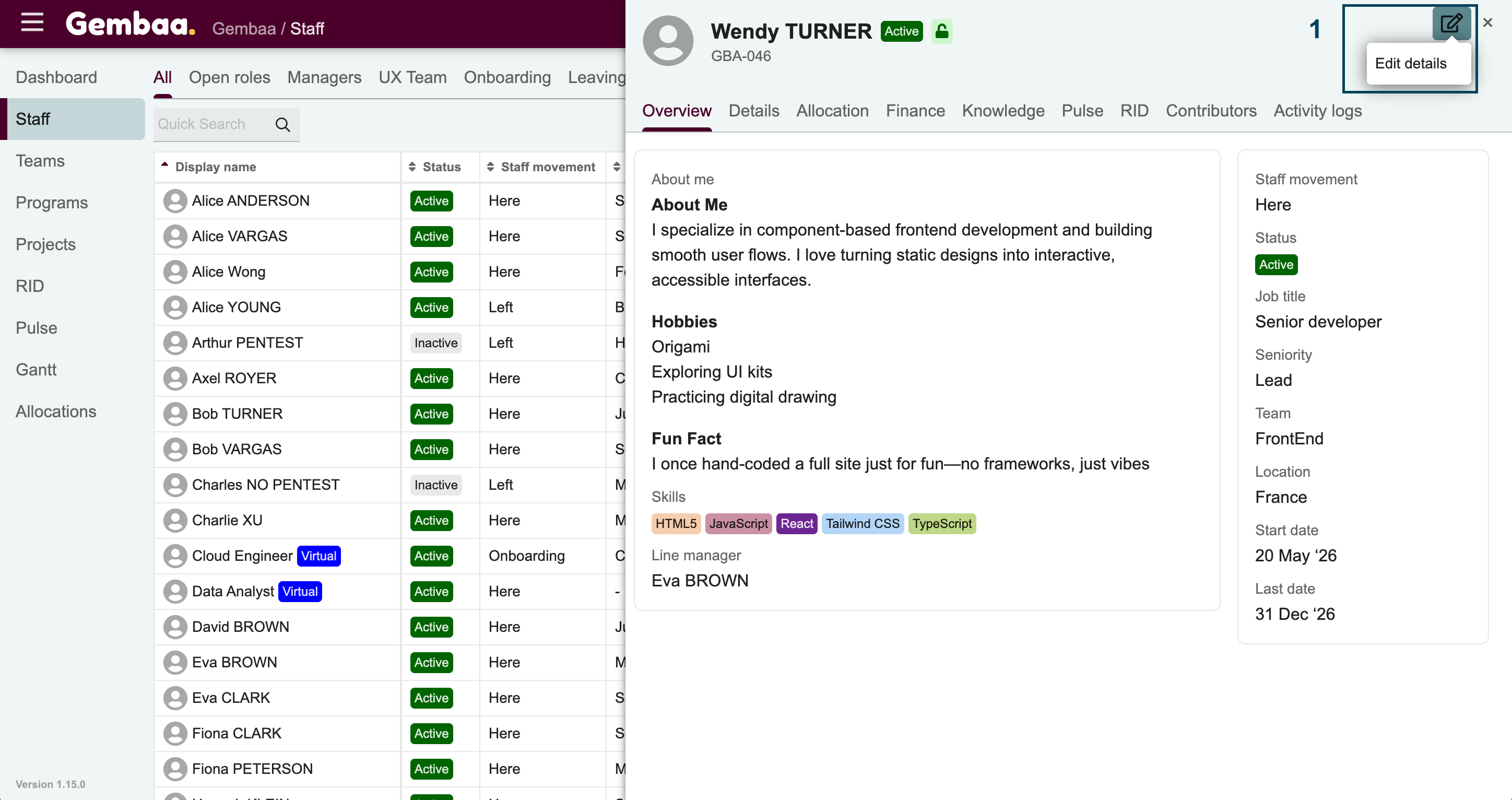
- Option B — Edit dialog
- Click the edit icon (box with pencil) in the upper-right corner of the details panel
- This opens a dialog where you can update multiple fields at once
- Click Save when done