Edit project details
Edit project details to keep information accurate, ensuring project tracking and reporting reflect the latest changes.
📝Overview
Purpose
- Update project details to reflect changes in scope, schedule, or information
- Ensure project records remin accurate and up-to-date for reporting and tracking
Who is this for
- PMOs and leads responsible for maintaning project data
- Admins or users with permission to manage project details
Pre‑requisites
- Projects already existing in the Projects module
- Knowledge of the updated project information
Permissions required
- Manage access to the Projects module
📹Demo walkthrough
💭How‑to guide
Step 1: Locate the project
Use the Projects table to find the project you want to update or use Quick Search or scroll through the list

Step 2: Edit project information
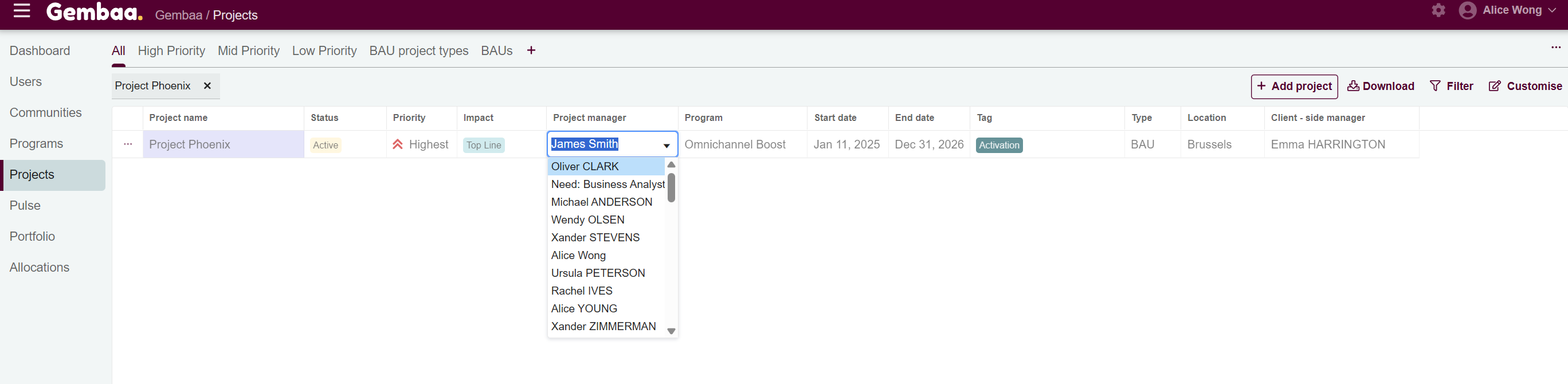
Option 1 - Inline editing
Visible fields in the Projects table can be updated directly without opening the project details by clicking on a cell you want to edit, make your changes, and press Enter to save.
✍️ Note:
Inline editing is convenient for quick updates but does not allow updating all fields. Use the full project details view for more changes (option 2)
Option 2 - Open project details panel
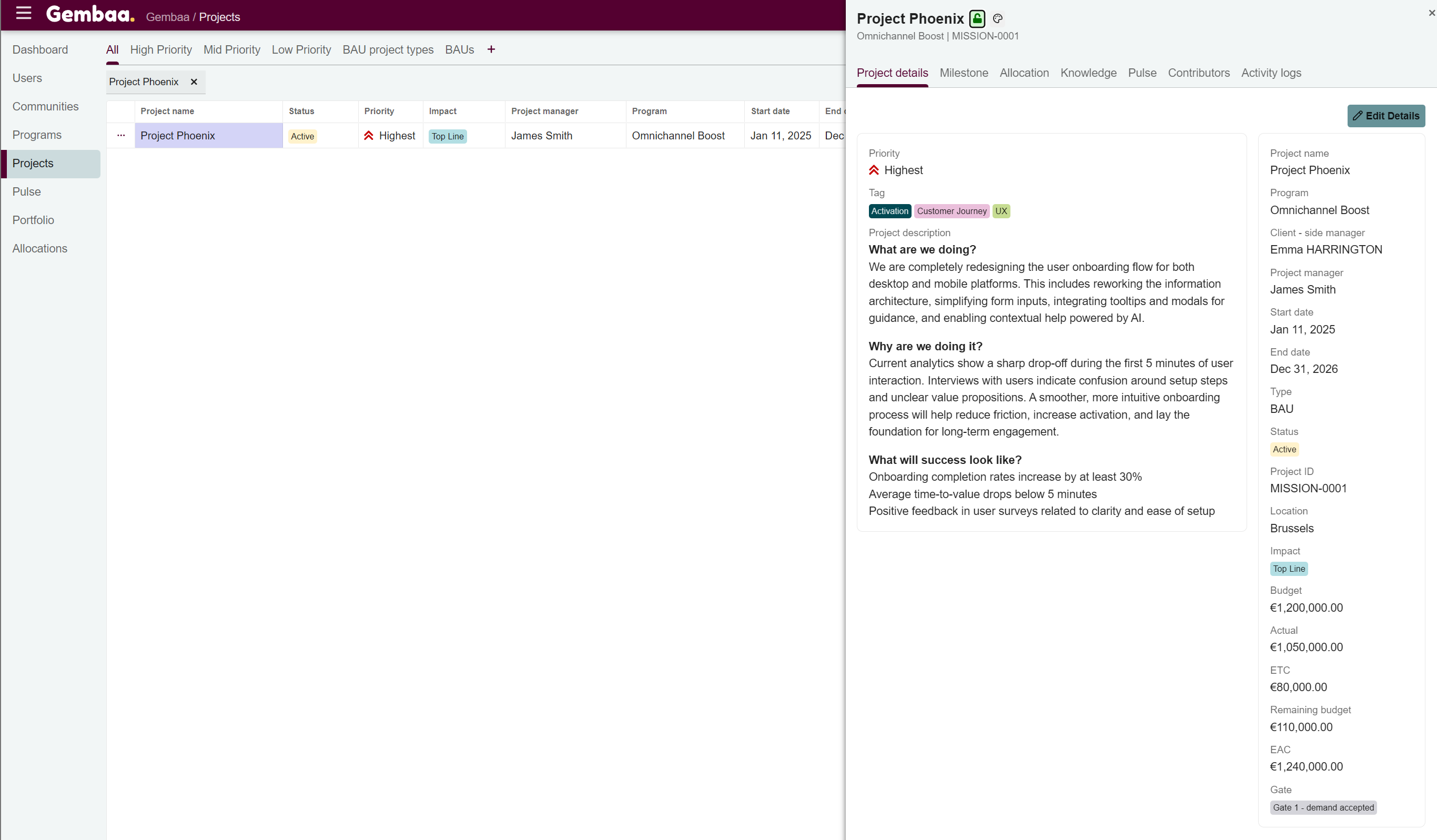
- Click on the project name to open the detailed project view
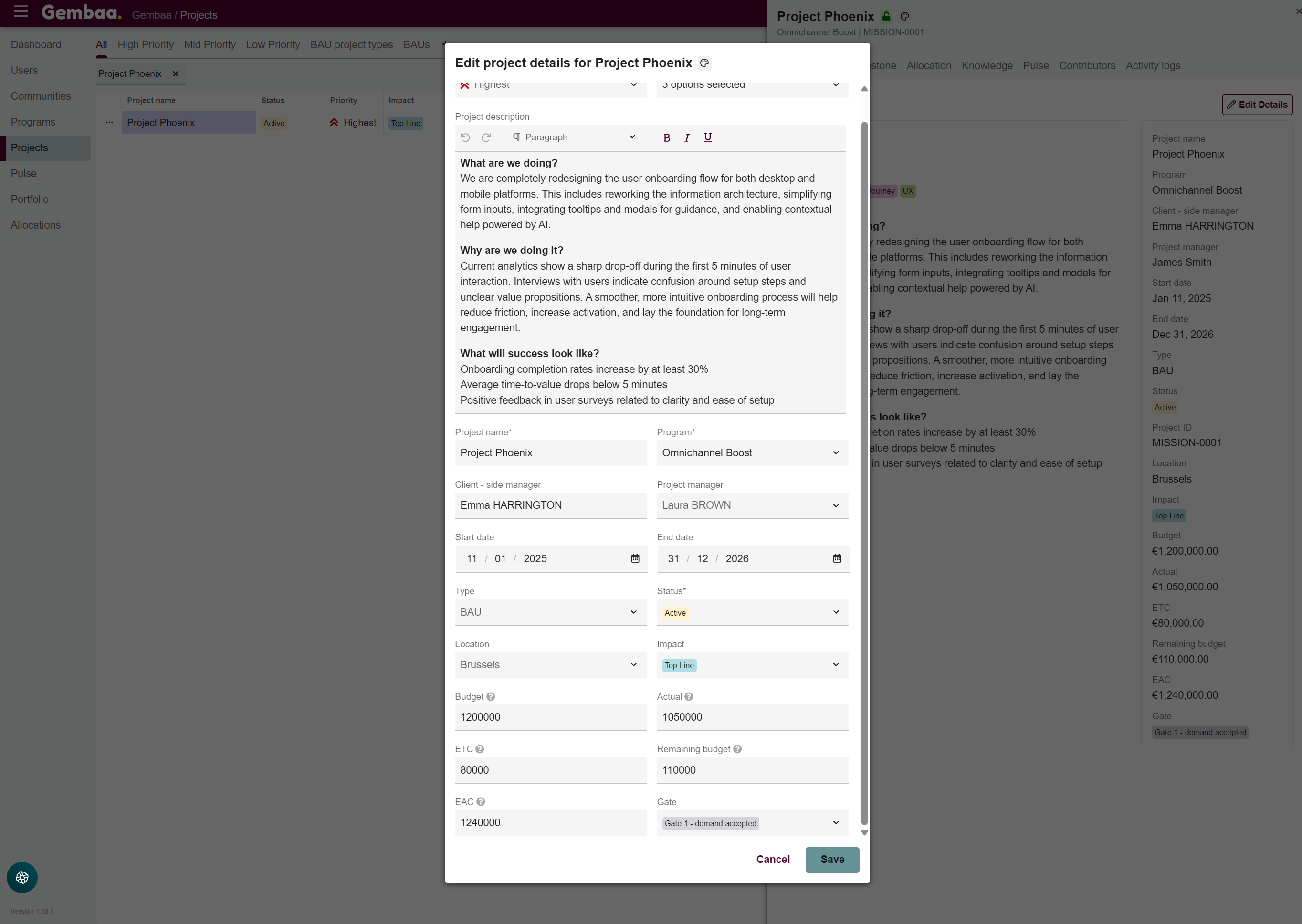
- In the 'Project details' tab, click on 'Edit Details' to display dialog box
- Update any of fields applicable to the project and select 'Save' to apply changes