Edit & delete team details, members, or lead
Quickly update a team’s information, add or remove members, and assign a new team lead to keep your team structure accurate and up to date.
📝Overview
Purpose
- Update existing team information, including team details, members, or assigned team lead
- Ensure team structures remain accurate as staff or responsibilities change
Who is this for
- PMOs and Leads responsible for managing teams
- Admins or users with permissions to manage teams
Pre‑requisites
- Knowledge of organization's team details and structure
Permissions required
- Manage access to the Teams module
📹Demo walkthrough
💭How‑to guide
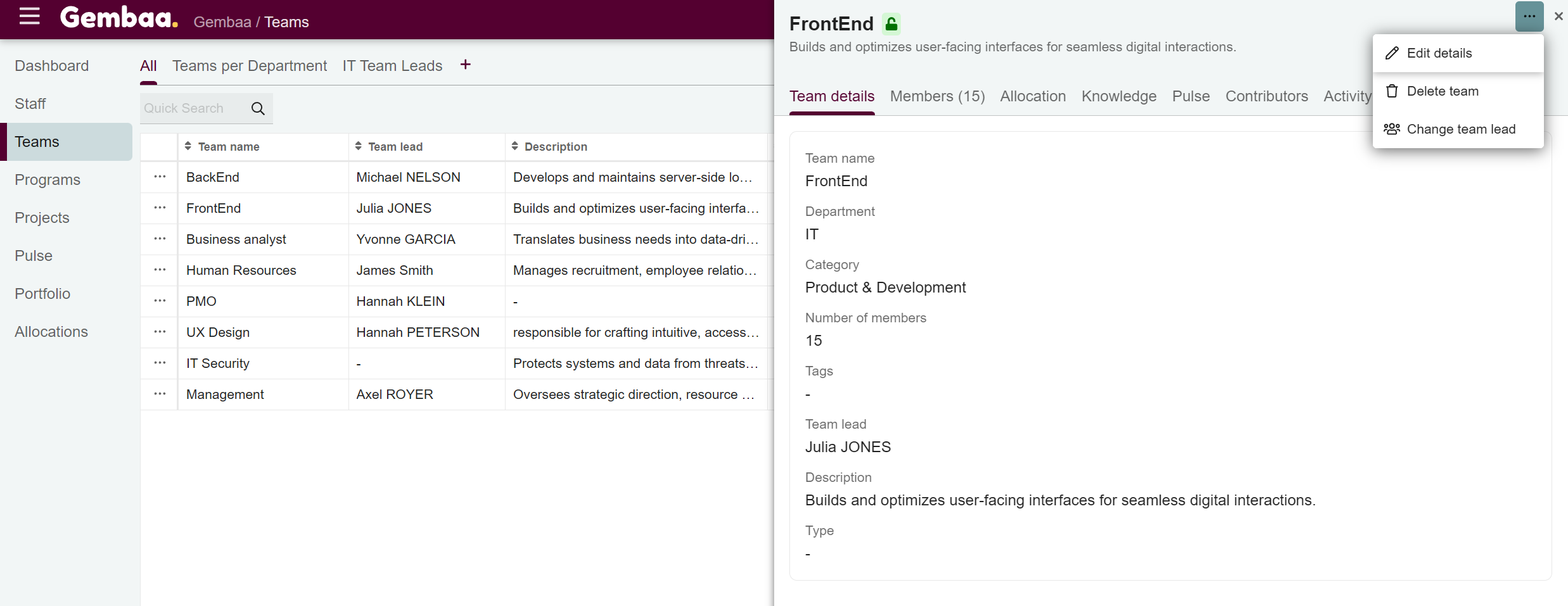
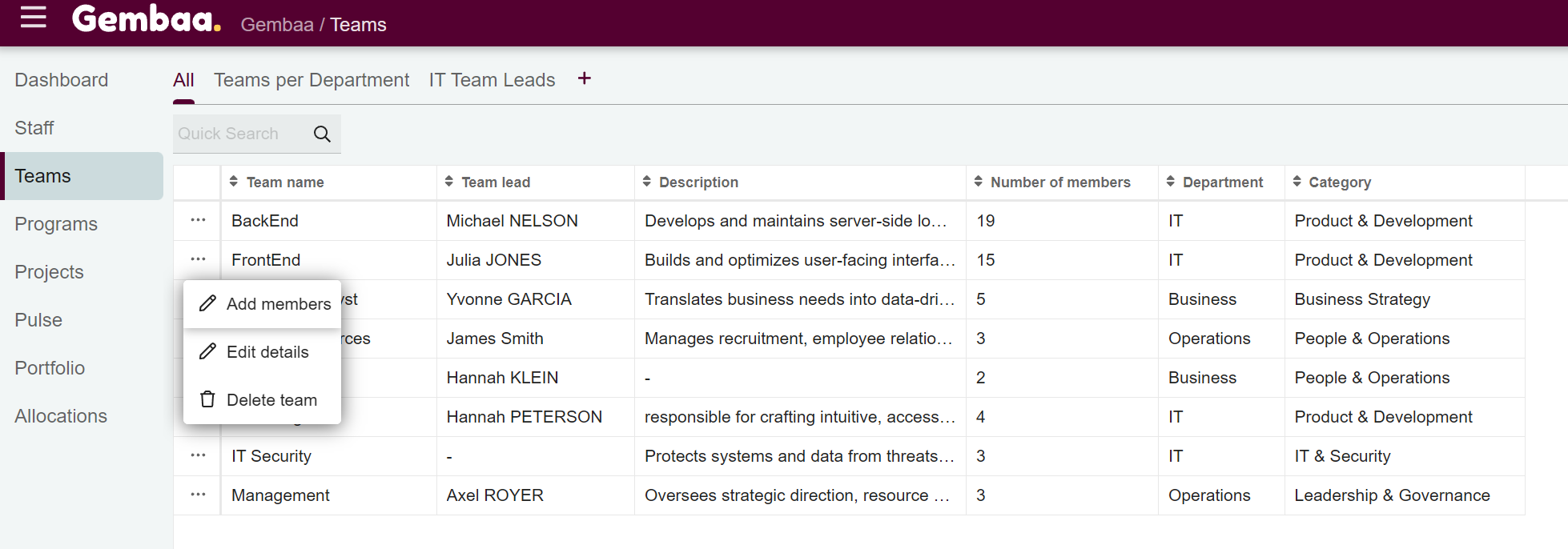
There are two ways to manage team details, members, or leads.
1. From the Teams table
- Click on the ellipsis (...) in the left-most column of the team row
- Options such as Add team members, Edit details, or Delete team will appear
2. From the Team details view
- Click on the Team name to open the details panel
- Click on the ellipsis (...) on the upper right corner to see options for:
- Edit team details
- Delete team
- Change team lead