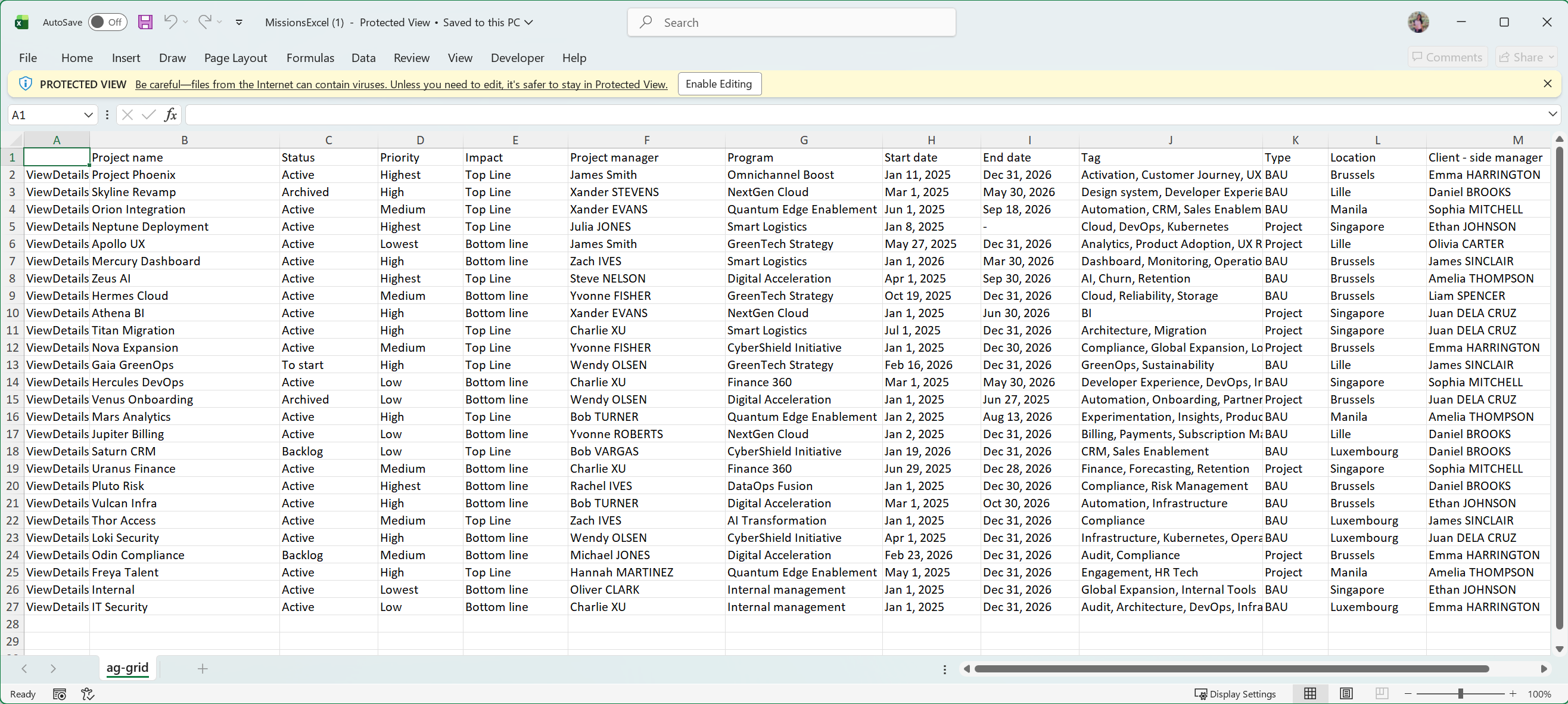
Export project data to Excel/CSV
Export Projects table data to Excel or CSV to analyze, share, or archive project information outside the platform.
📝Overview
Purpose
- Export project data for reporting, analysis, or sharing outside the platform
- Maintain the structure, filter, and customizations applied when exporting
Who is this for
- PMOs or managers who need offline access to project data
- Users preparing reports or sharing project information with stakeholders
Pre‑requisites
- Existing projects in the platform
Permissions required
- Access and permission to manage projects
📹Demo walkthrough
💭How‑to guide
Step 1: Click on the Download button
Click the Download button on the upper right corner of the Allocations page.
Two options should appear: Excel or CSV (with more options coming soon)
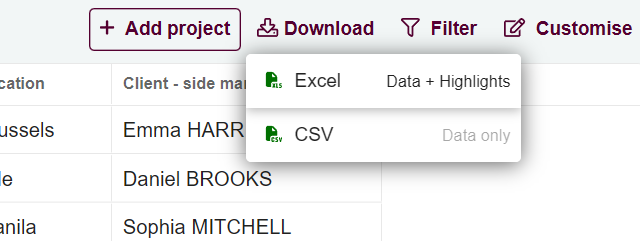
Step 2: Select export option
Choose either Excel or CSV. The file will automatically download to your device

Step 3: View the exported file
The exported Excel/CSV file reflects the current tab, including any applied filters or customizations.
Open the file to review allocation data offline.