
Create and use formula custom field
📝 Overview
Purpose
- Automate calculations and display a value in a field based on other field values or logic you define
- Reduce manual data entry and ensure consistency across records in real-time
Who is this for
- Admins who manage custom fields across modules
Permissions required
- Admin access
🎥 Demo walkthrough
What is the formula custom field in Gembaa?
A formula custom field lets you define an expression that Gembaa evaluates automatically to produce a result. Instead of users entering a value manually, the field calculates and displays it based on the logic you write.
The formula type field is an expression evaluator that supports arithmetic, logical operators, comparison operators, and a range of built-in functions. You can reference field values as parameters, write conditional logic, and combine multiple operations in a single expression.
The output type you choose (text, number, currency, date, or boolean) determines how the result is displayed and stored.
NCalc language reference: https://ncalc.github.io/ncalc/articles/language/operators.html
💭 How-to guide
Step 1: Go to the Admin Panel
- Open the Admin Panel from the main navigation
- Go to Entities
- Select the module where you want to add the formula field
(e.g. Projects, Staff, Teams, Programs)
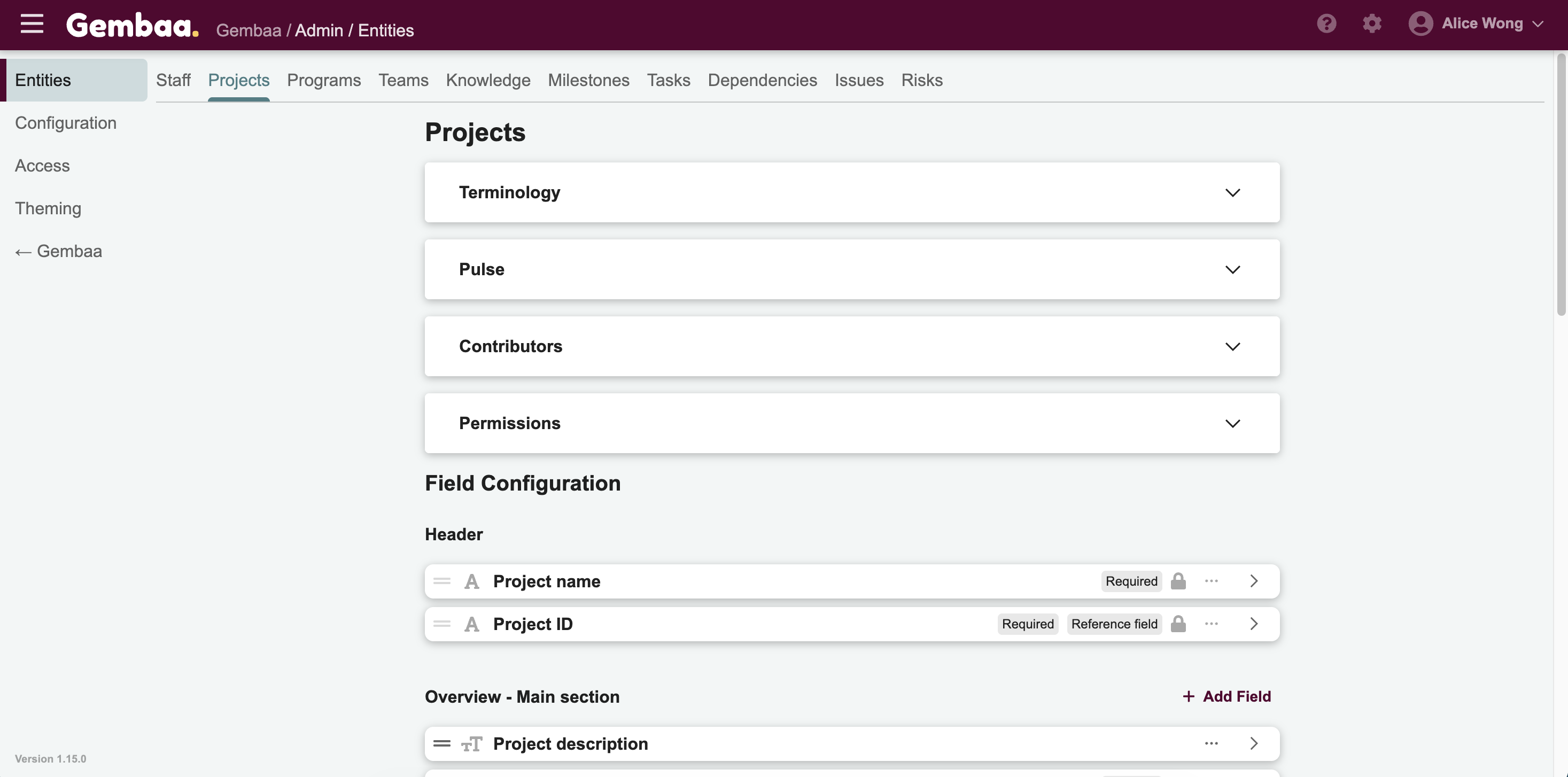
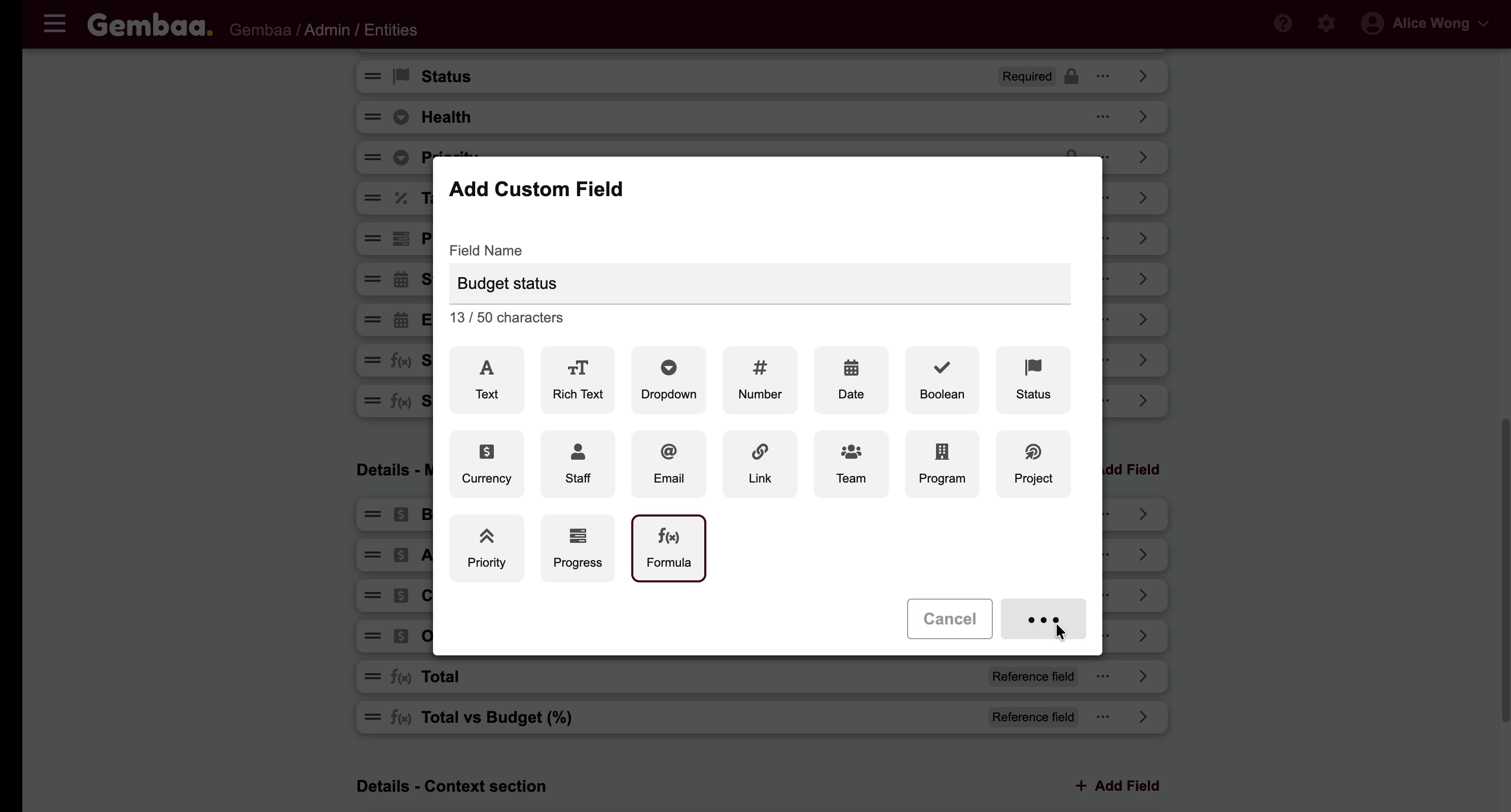
Step 3: Add a new field
- Click +Add Field
- Select Formula as field type, when prompted add your field description (optional)
Step 4: Set the specifications
- In the Specifications tab, locate the Output type dropdown. Selecting the correct output type is important, as it determines how the formula result is filtered in the platform.
- Select the type that matches what your formula will return:
Output Type | Use when your formula produces… |
|---|---|
Text | A string or label |
Number | A numeric value (integer or decimal) |
Currency | A monetary value (note: this does not apply any conversions) |
Date | A date result |
Boolean | A true/false value |
Step 5: Find the field IDs you want to reference
- Before writing the formula, identify the Field ID of each field you want to reference. In this example, we want to determine whether a project is Over Budget or Within Budget, so we will reference the Budget and Total fields.
-
Formulas can only reference fields of records within the same module. For example, a Project formula can reference other Project fields, but cannot reference Program fields
- Field IDs can be found in the field details under General tab within the same module entity. For our example, Budget ID is 71 while Total ID is 187.
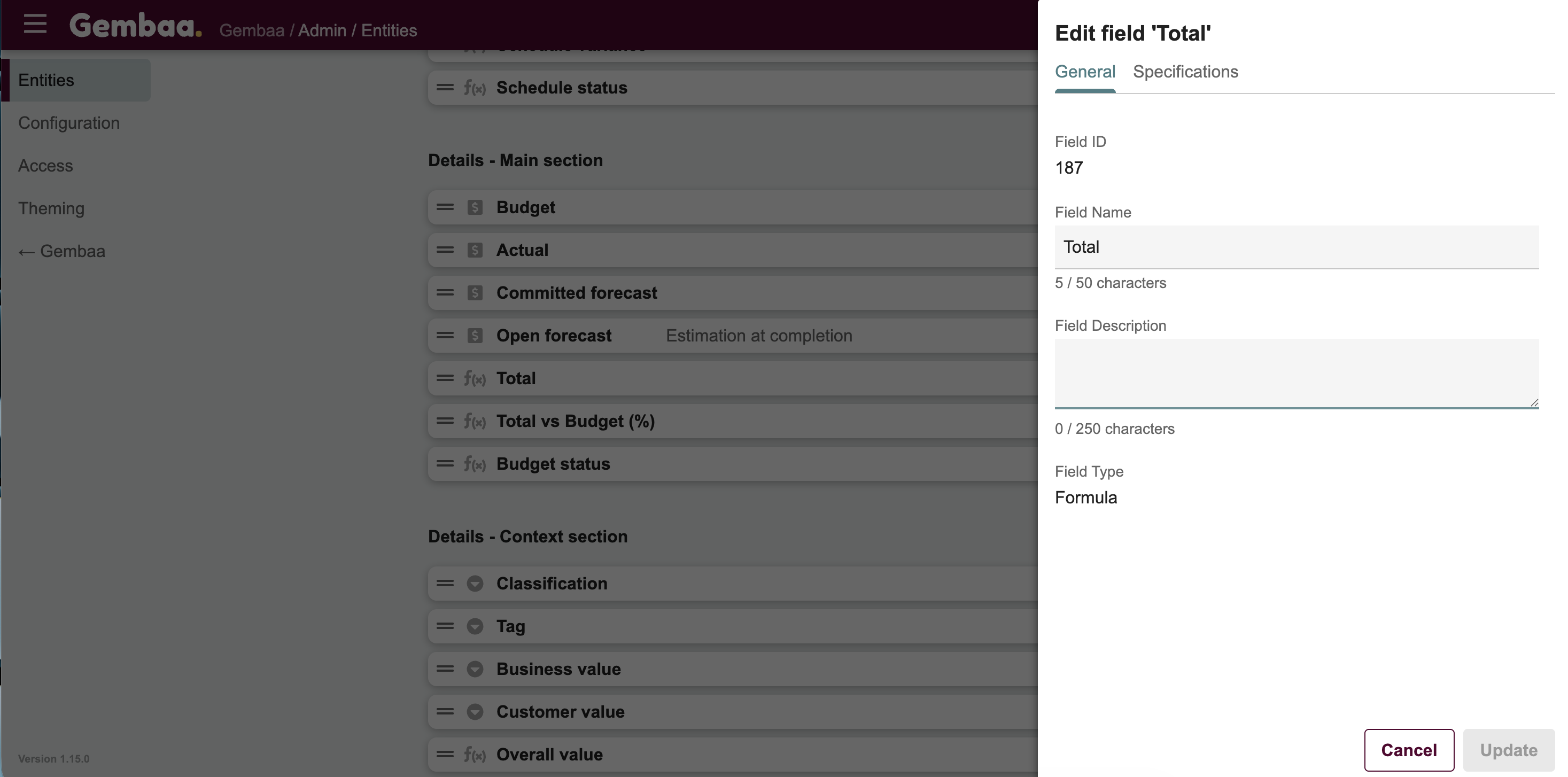
Step 6: Write the formula
- In the Specifications tab, enter your expression in the Formula field, each field reference in your formula must follow this format: cf_FieldID (Example: if the Field ID is 187, reference it as cf_187)
- Use the NCalc syntax outlined in the reference section below to help with formulating
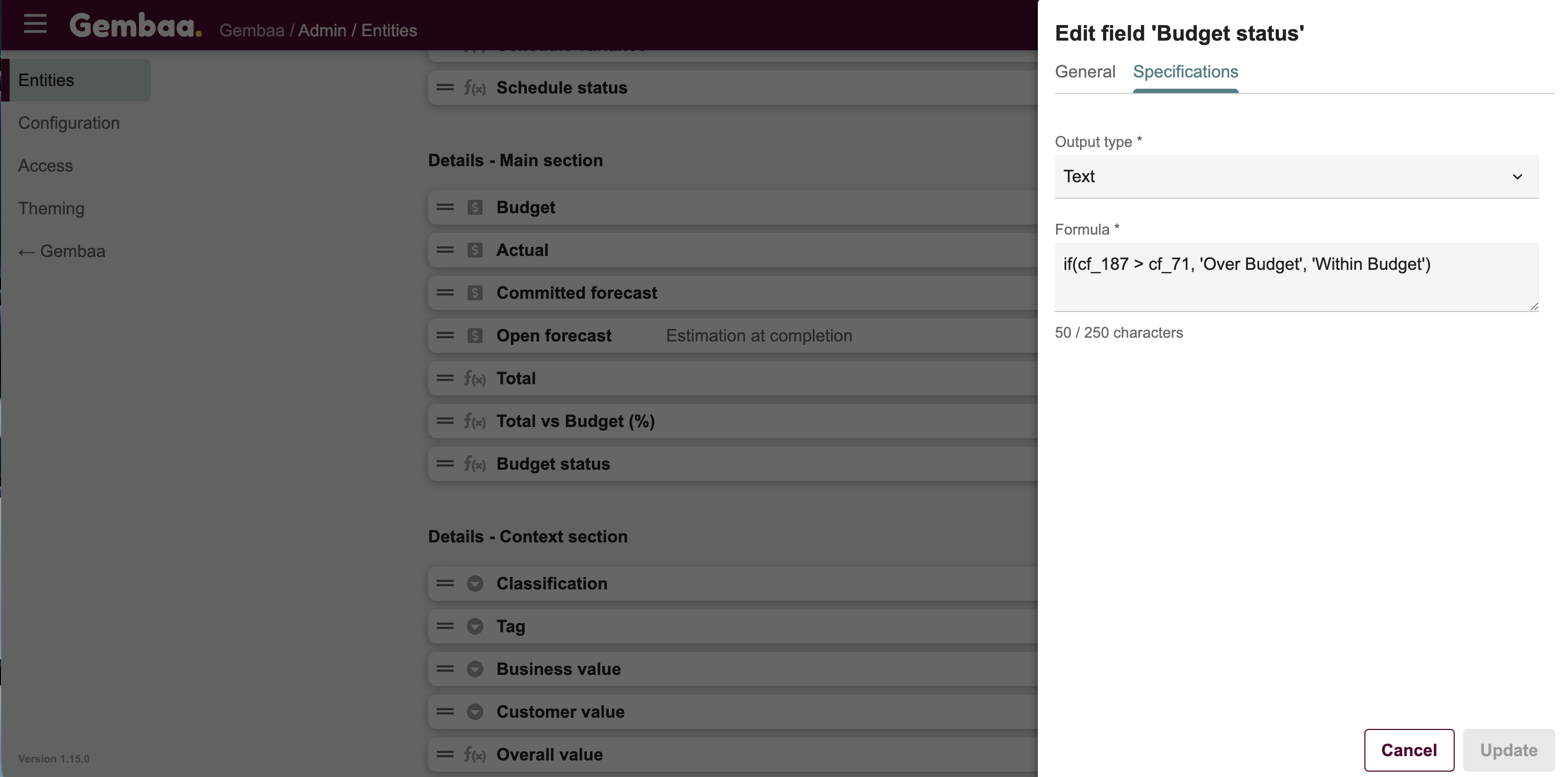
- Make sure the output type you selected matches what your formula actually returns — a mismatch may cause errors or blank results
- Test your formula with known values before rolling it out across live records. To safely test the formula, you can temporarily set the field permission to Hidden from Public, validate the output, then make the field accessible afterward
Formula references
Operators
Category | Operators |
|---|---|
Arithmetic | + - * / % (modulus) |
Comparison | == != <> < <= > >= |
Logical | and && or || not ! |
String matching | LIKE NOT LIKE (supports % and _ wildcards) |
Membership | IN NOT IN |
Logic & Conditional
Function | Description | Example |
|---|---|---|
if(condition, trueVal, falseVal) | Returns one of two values based on a condition | if(cf_1001 > 50, 'Pass', 'Fail') |
ifs(cond1, val1, cond2, val2, default) | Evaluates multiple conditions, returns first match | ifs(cf_1001 > 90, 'A', cf_1001 > 75, 'B', 'C') |
in(value, a, b, c) | Returns true if value matches any in the list | in(cf_1002, 'Active', 'Pending') |
Global Variable
Variable | Description |
|---|---|
TODAY | Return the date of the day |