
Delete a program
Delete a program directly from the Programs table or from within the program record.
📝 Overview
Purpose
- Remove programs that are no longer active or relevant from the platform
Who is this for
- Admins and managers with delete permissions on program records
Pre-requisites
- An existing program record
Permissions required
- Delete access as configured by your admin
🎥 Demo Walkthrough
Coming soon
💭 How-to Guide
There are two ways to delete a program:
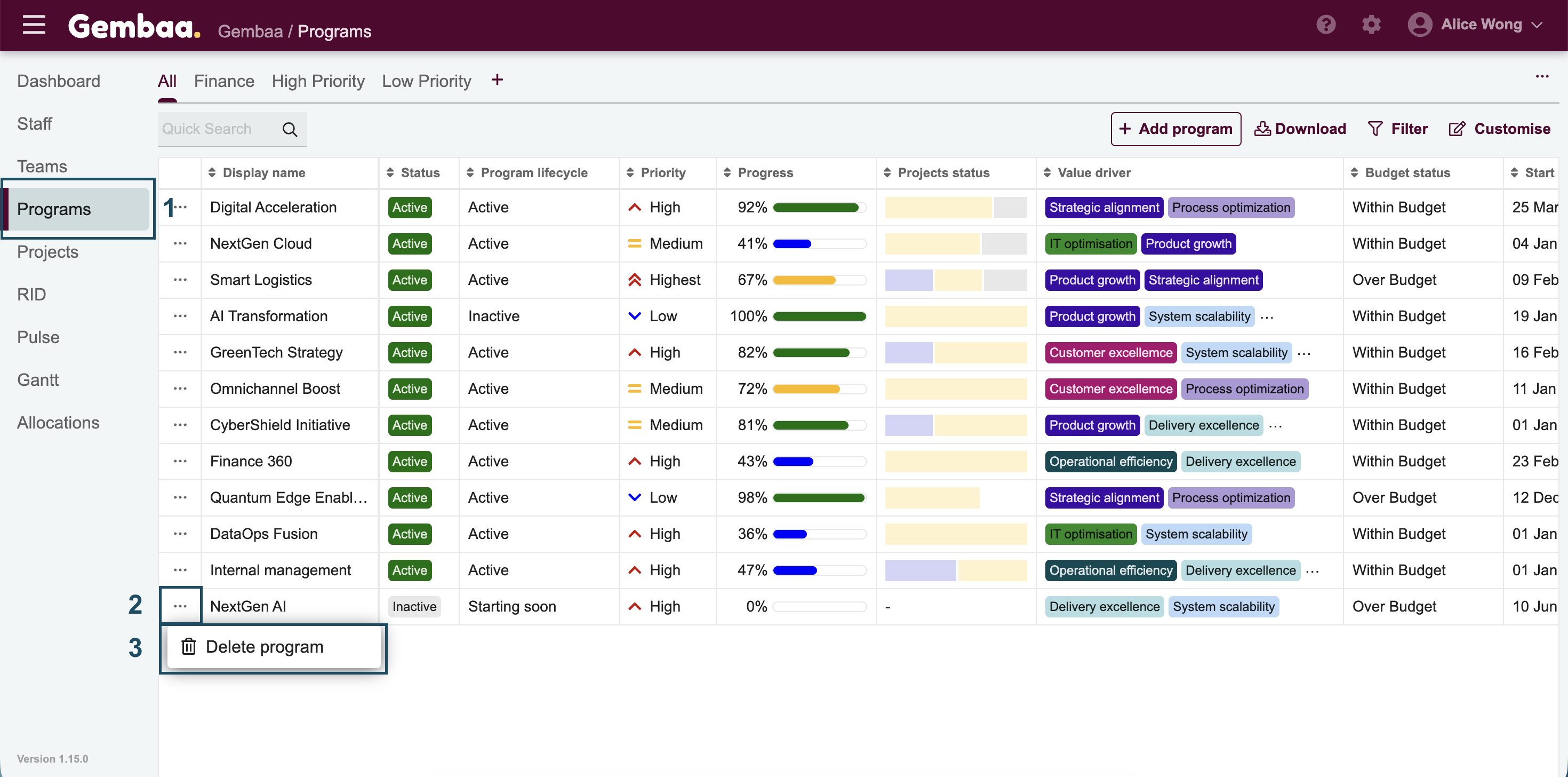
- Option A — From the Programs table
- Go to the Programs module from the main navigation panel
- In the table, click the ellipsis (⋯) on the leftmost column beside the program name
- Select Delete from the menu
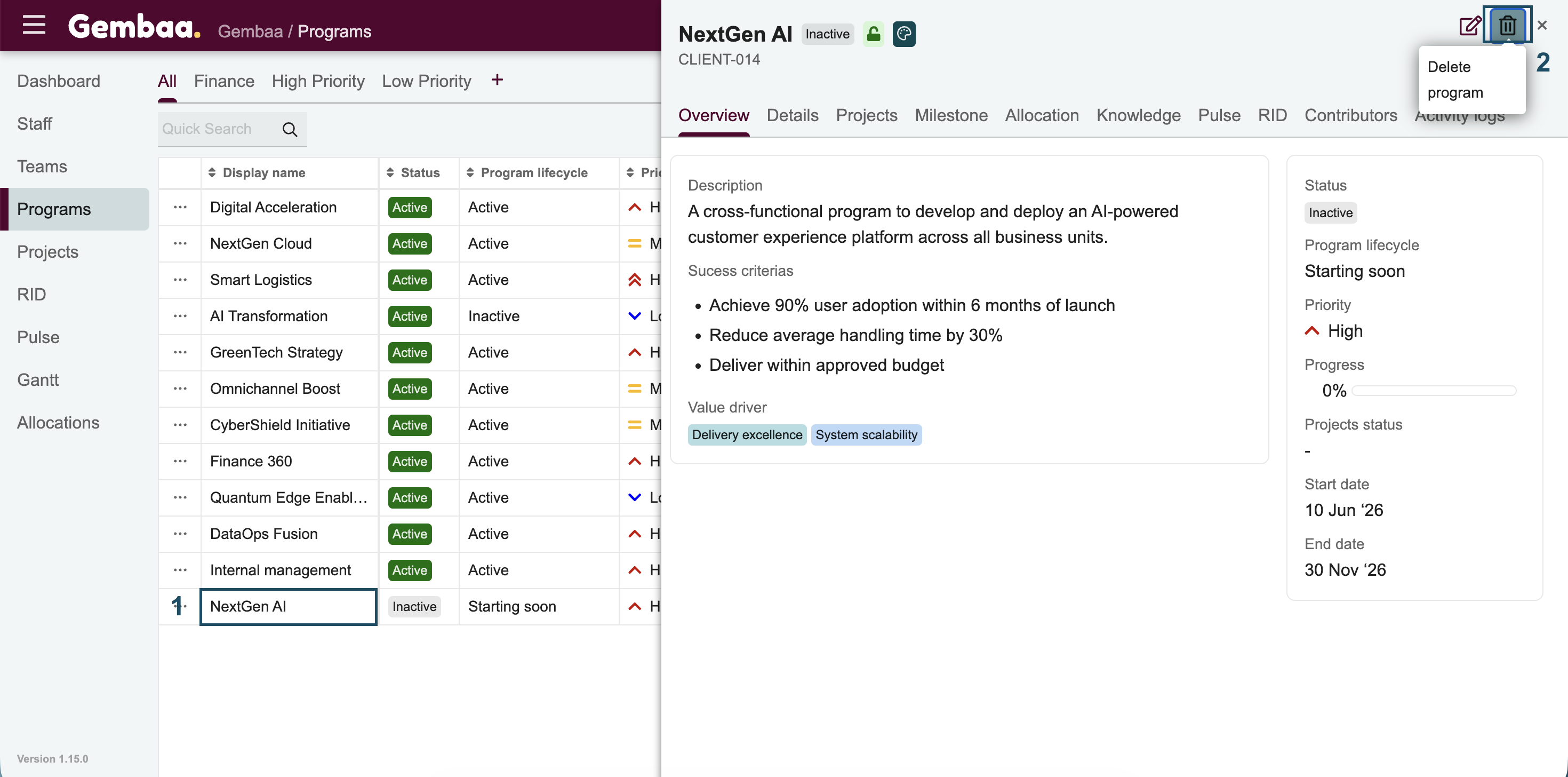
- Option B — From the program record
- Open the program you want to delete
- Click the trash icon in the upper-right corner of the details panel
- Confirm the deletion when prompted
⚠️ Important Reminder:
- The ability to delete a program depends on your permissions. If the option is not visible, check with your admin.
- Deletion is permanent — the program record cannot be recovered once removed.